FAQ
What is an OBJ file?
What is an OBJ file?
The .obj format is the universal standard for exchanging 3D models. Recognized by the vast majority of software on the market, it ensures full interoperability without depending on the version of your CAD software. It represents geometry as a high-fidelity mesh, allowing complex shapes to be displayed with great efficiency and lightweight performance.
How to Convert a 3D OBJ File to 3D DWG Using Revit?
You can convert a 3D OBJ file into a 3D DWG file using Autodesk Revit by following the steps below:
Open Autodesk Revit.Click File → New → Project.
Choose the appropriate project template and click OK.
Import the OBJ file :
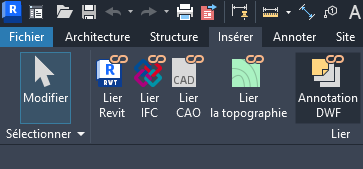
Go to the Insert tab.
Click Link CAD.
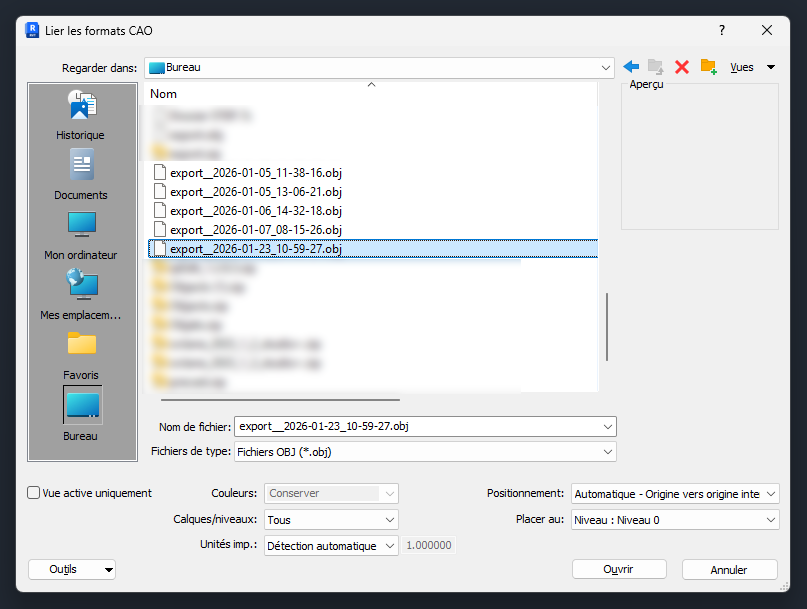
In the file browser, select your .OBJ file.
Before validating, adjust the Import Units according to your project settings. Verify positioning options if necessary (Auto – Origin to Origin, Center to Center, etc.).
Click Open.
Export to DWG Format :
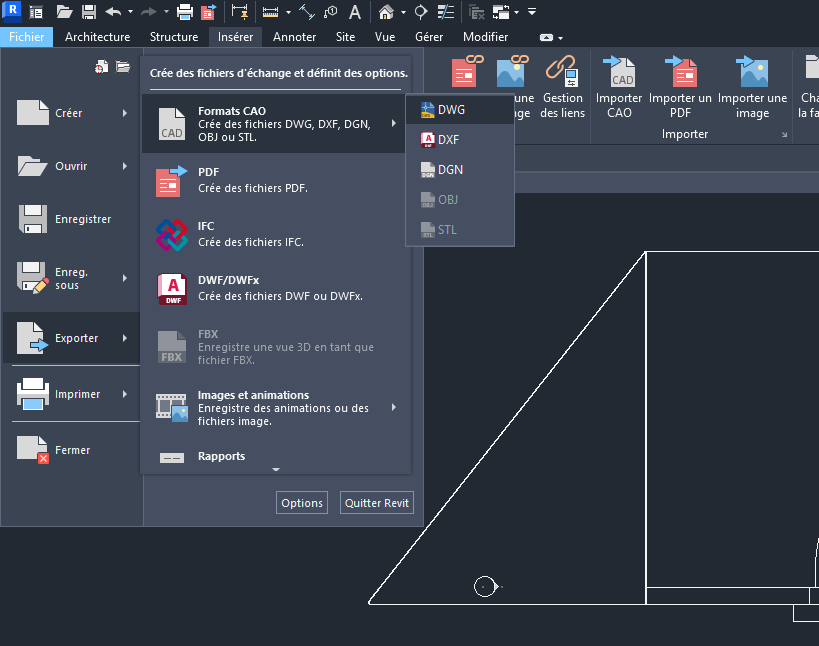
Go to File → Export → CAD Formats → DWG.
Configure the export settings if required (units, layers, solids, etc.).
Choose the destination folder.
Click Save.
Your 3D OBJ file is now exported as a 3D DWG file.
How to navigate in the 3D drawing interface of the Precast Arches tool?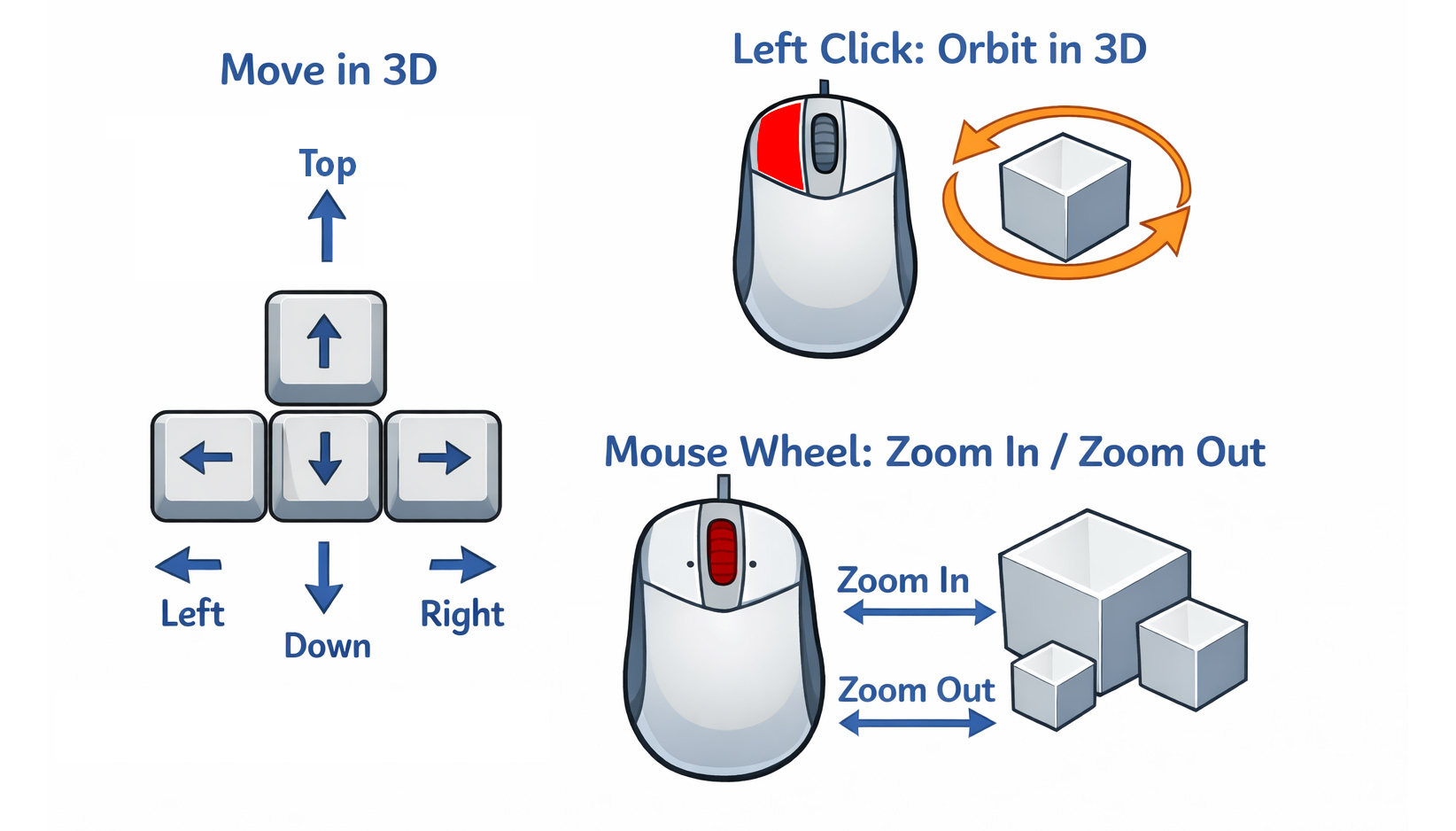
How to navigate in the 3D drawing interface of the Precast Arches tool?